Warehouse automation is often associated with robots, conveyor systems, automated storage, and other large equipment. But these are not the only ways to improve warehouse operations. In many cases, businesses can make noticeable improvements by first changing how warehouse information, tasks, and inventory are handled.
At DD Automation, we help businesses look at the software side of warehouse operations before adding complex equipment. A good digital system can bring receiving, storage, picking, stock movement, and dispatch into a more organised workflow. This can be useful for warehouses that want better control without making a major hardware investment.
The right starting point depends on where the warehouse loses time or accuracy. Here are six software-based upgrades that can improve everyday operations and create a stronger base for future automation.
Why does warehouse automation not always need robots?
A warehouse can have modern equipment and still face problems caused by incorrect stock records, unclear processes, or repeated manual work. If workers cannot find the right stock or managers do not have reliable inventory information, adding robots will not fix those basic issues.
Software can address these gaps first. WMS software can bring different warehouse activities into one system and give teams a common view of inventory and orders.
This also makes future automation easier. Once processes are organised and data is captured properly, businesses can decide later whether they need additional equipment.
1. Make receiving and put away more systematic
The receiving area can become a source of errors when workers depend on paper records, spreadsheets, or manual data entry. Quantity differences, wrong item codes, and misplaced goods can create problems that affect later picking and dispatch.
A digital receiving process can record incoming goods as they arrive and link them to the relevant purchase or delivery information. Workers can then receive instructions for where items should be stored instead of deciding locations manually every time.
This gives the warehouse a clearer record of what came in, when it arrived, and where it was put away. It can also reduce the amount of time spent checking paperwork.
2. Keep better track of every stock movement
Knowing the quantity of stock is useful, but knowing its exact location is equally important. This becomes harder when products are moved between bins, storage areas, picking zones, or different warehouses throughout the day.
warehouse inventory tracking software can record these movements through barcode or RFID-based processes. Instead of waiting for someone to update a spreadsheet, the inventory record can be updated as the movement takes place.
This is especially useful for warehouses handling large SKU volumes, batch-controlled products, serialised items, or goods with expiry dates. Better tracking can also make it easier to investigate stock differences when they occur.
3. Give picking teams clearer instructions
Picking can take up a large part of a warehouse team’s working day. Workers may lose time walking between locations, checking stock, or deciding which order should be picked first.
Software can assign picking tasks based on rules set by the business. These may include FIFO, FEFO, order priority, storage zones, or other warehouse requirements.
The benefit is not simply faster picking. Workers also have clearer instructions about what needs to be picked and where it is located. This can reduce avoidable movement and help maintain a more consistent picking process.
4. Improve storage decisions without changing the whole warehouse
A warehouse does not always need new racks or automated storage equipment to make better use of its available space. Sometimes, the problem is where products have been placed.
Software can help teams review product movement and identify which items are picked most often. Fast-moving products can be kept closer to picking or dispatch areas, while slower-moving products can be stored in locations that are less convenient to access.
This approach can help reduce unnecessary walking and make better use of existing storage space. It also allows the warehouse to adjust locations when demand patterns change.
5. Replace spreadsheet-based reporting
Warehouse managers need regular information about orders, inventory, picking, dispatches, and pending activities. When this information is collected manually from different sources, preparing a report can take considerable time.
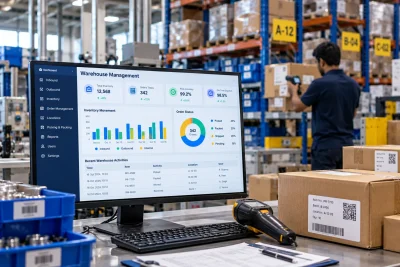
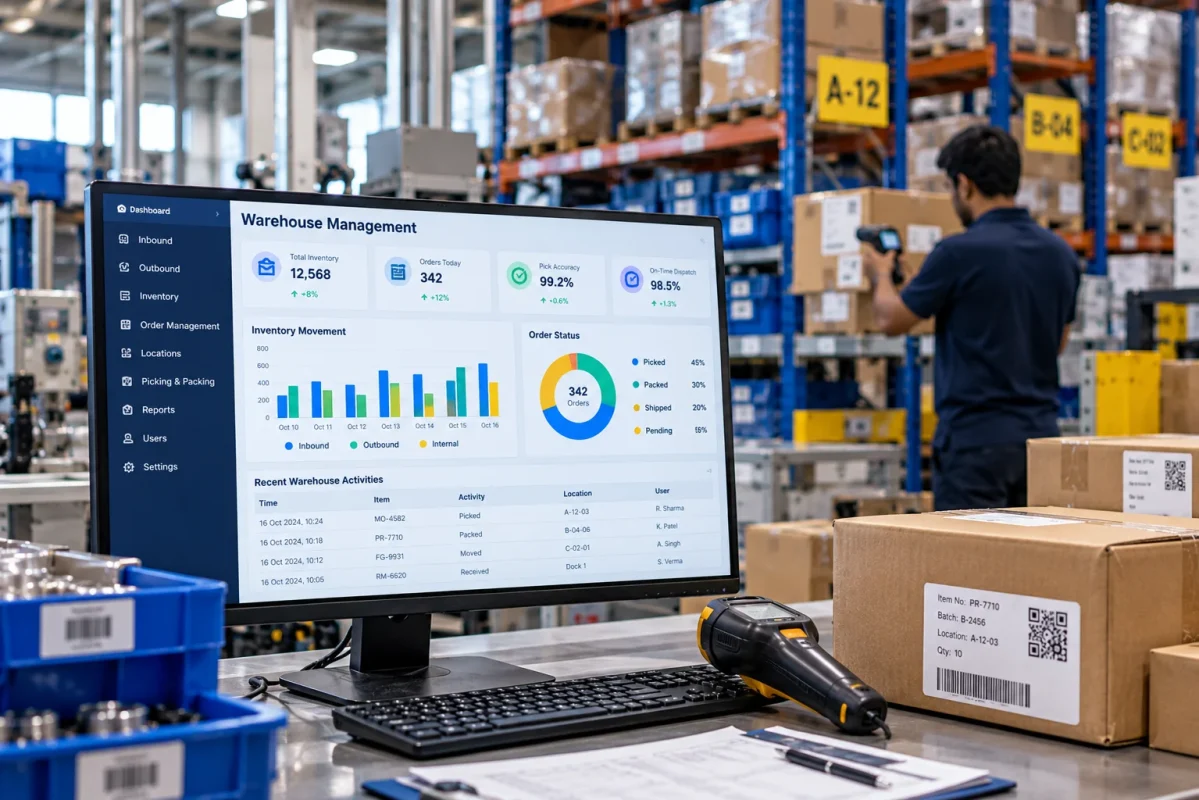
A warehouse management system software platform can bring these details into a single dashboard. Managers can then check operational information without waiting for several teams to prepare separate reports.
Some useful measures to track include:
- Inventory accuracy
- Pending orders
- Picking performance
- Put away time
- Order processing time
- Stock movement
- Slow-moving items
The important point is to track information that helps managers take action. A dashboard filled with numbers is not useful if teams cannot connect those numbers to actual warehouse problems.
6. Connect the warehouse with other business systems
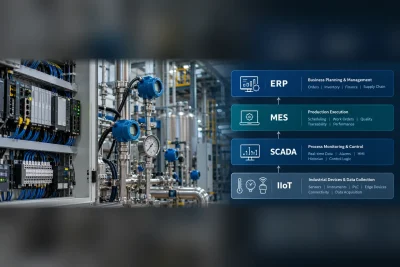
The warehouse is closely linked with purchasing, sales, finance, production, and transportation. When these functions use disconnected systems, employees may have to enter the same information several times.
Connecting the warehouse system with the company’s ERP or other business software can reduce this repeated work. Order information can move into warehouse operations, while stock and dispatch updates can move back to the relevant business systems.
For companies comparing warehouse management software in India, integration should therefore be part of the selection process. The software should fit the systems already being used rather than creating another isolated source of information.
What can businesses gain from these upgrades?
Software-first automation can improve several everyday warehouse activities without requiring a complete physical redesign.
| Current Problem | Software Upgrade | Possible Improvement |
| Manual stock updates | Digital stock transactions | Better inventory visibility |
| Receiving delays | Guided receiving | Faster inbound processing |
| Long picking routes | Rule-based picking | Less unnecessary movement |
| Stock shortages | Replenishment alerts | Better stock availability |
| Manual reports | Digital dashboards | Faster access to information |
| Repeated data entry | System integration | Less duplicate work |
The financial benefit depends on the size and processes of each warehouse. However, reducing repeated work and improving inventory accuracy can create savings without the cost and disruption associated with a large physical automation project.
How should a warehouse start?
Businesses do not need to digitise every process at the same time. A better approach is to identify the area causing the most frequent delays, errors, or manual effort and start there.
Before selecting warehouse automation solutions, teams can review:
- Where inventory errors occur most often
- Which warehouse tasks require repeated data entry
- How much time workers spend searching for stock
- Where picking delays happen
- How reports are currently prepared
- Whether warehouse and ERP information matches
Once these gaps are clear, the software can be selected and configured around actual working conditions. This makes implementation more practical and gives warehouse teams a clearer reason for every change.
A practical path to warehouse automation
Robots can be useful for certain warehouse operations, but they are not the only route to better productivity. For many businesses, improvements can begin with cleaner data, better inventory visibility, clearer picking instructions, and fewer manual tasks.
At DD Automation, we help businesses use WMS software and warehouse inventory tracking software to bring greater structure to warehouse operations. Our warehouse automation solutions are designed to support businesses that want to improve control first and expand their automation journey as their requirements grow.
If your warehouse is still dependent on spreadsheets, manual stock checks, or repeated data entry, a software-first upgrade can be a practical place to begin.